After testing both in real projects, OpenAI Codex is the better choice in 2025 if you want an AI coding agent that can take end-to-end tasks (features, refactors, bug fixes, PRs) and work across your repo with minimal babysitting.
Thank you for reading this post, don't forget to subscribe!GitHub Copilot is still excellent as an inline AI pair programmer for fast code suggestions as you type, but it does not match Codex’s agent-style automation.
Use OpenAI Codex when you want autonomous help across files and environments; use GitHub Copilot when you want quick autocomplete, chat, and everyday speed inside your IDE.
What Is OpenAI Codex in 2025?
OpenAI Codex is OpenAI’s coding agent that can read, modify, and run your code, then propose clean changes or pull requests. It goes beyond classic code completion and behaves like a junior developer that can follow instructions such as “add OAuth login,” “migrate this service,” or “fix flaky tests.”
Key capabilities of OpenAI’s Codex in 2025:
- Understands your entire project structure and dependencies.
- Writes new features, fixes bugs, adds tests, and cleans code.
- Can run code, inspect failures, and iterate until tests pass.
In simple words: OpenAI Codex turns plain English into real code changes inside your project.
OpenAI Codex vs GitHub Copilot: High-Level Comparison
Both tools help you write code faster, but they follow very different models: agent vs assistant.
Role and Workflow
- OpenAI Codex = task-based coding agent
You give it higher-level instructions (tasks), it plans, edits, runs, and summarizes. - GitHub Copilot = inline AI pair programmer
It suggests code as you type, and gives chat-style answers in your IDE.
Quick Comparison Table
| Aspect | OpenAI Codex | GitHub Copilot |
|---|---|---|
| Core idea | Agent that edits and runs code for you | Autocomplete + chat in your editor |
| Primary interface | Codex CLI, Codex VSCode / IDE extension, ChatGPT tasks | VSCode, JetBrains, Neovim, etc. |
| Typical usage | “Refactor this module”, “Fix auth bugs”, “Generate tests” | “Complete this function”, “Explain this snippet” |
| Autonomy | High – can run tools, tests, scripts | Low – depends on you to trigger changes |
| Best user | Developers who want agents and automation | Developers who want faster typing and inline help |
Verdict: For end-to-end tasks, OpenAI Codex wins. For day-to-day inline help, GitHub Copilot is still outstanding.
How OpenAI Codex Works (Agent View)
What Does Codex from OpenAI Do?
OpenAI Codex reads your codebase, understands context, and then writes, edits, and runs code on your behalf to complete tasks such as new features, refactors, bug fixes, and tests.
Under the hood:
- It uses advanced models (like codex-1, built on the GPT-5 stack) tuned specifically for coding tasks.
- It works either in a local environment via CLI or in cloud sandboxes managed by OpenAI.
- It produces structured change summaries so you can review or copy its work.
This makes OpenAI Codex closer to an AI coding teammate than a simple autocomplete tool.
OpenAI Codex CLI: Local Coding Agent
What Is OpenAI Codex CLI?

OpenAI Codex CLI is a command-line tool that lets you run Codex as a local coding agent on your machine. You point it at a repo, describe a task, and it edits files, runs commands, and shows you a diff.
Typical workflow with OpenAI Codex CLI:
codex init– connect your project.codex run "add search to product page"– Codex finds files, writes code, and may run tests.- Review changes, commit, and push from your normal Git flow.
Is OpenAI Codex CLI Free?
The OpenAI Codex CLI tool itself is free to download and install, but using it with Codex requires an eligible ChatGPT or API plan.
You pay for:
- Either a ChatGPT Plus/Pro/Business/Enterprise subscription that includes Codex access.
- Or pay‑as‑you‑go API usage if you configure the CLI to use an API key.
So the CLI binary is free, but usage is not unlimited free.
OpenAI Codex VSCode and IDE Integration
OpenAI Codex VSCode Extension
OpenAI Codex VSCode support comes via the Codex IDE extension, published in the VSCode marketplace. Once installed, it lets you:
- Run Codex tasks from a sidebar or command palette.
- Ask Codex to explain, refactor, or test a selected block of code.
- See changes as diffs in your editor for quick review.
The same integration pattern also works with editors like Cursor and Windsurf, which expose Codex as a coding agent.
OpenAI Codex Download: How to Get It
There is no “OpenAI Codex download” as a standalone model. Instead, you download the tools around it:
- CLI via npm, Homebrew, or direct installer.
- IDE extension via VSCode marketplace or supported IDE stores.
- ChatGPT via web app, with Codex integrated into coding tasks.
You always connect to OpenAI’s servers; code stays scoped to configured projects or sandboxes.
OpenAI Codex Pricing, Free Options and API
OpenAI Codex Pricing (2025)
OpenAI Codex pricing is bundled into ChatGPT plans plus optional API usage. There is no separate Codex-only subscription.
Typical subscription options that include Codex:
- ChatGPT Plus – $20/month: Personal use, light to medium Codex tasks.
- ChatGPT Pro – ~$200/month: Heavy daily Codex usage, many local messages or cloud tasks.
- Business / Enterprise – per seat pricing: Higher limits, central billing, security controls.
For API-based openai codex api usage (e.g., building your own tools), pricing examples:
- codex-mini-latest: about $1.50 per 1M input tokens and $6.00 per 1M output tokens.
- Complex models like GPT‑5 cost more but are still available to coding workflows.
Can I Use Codex for Free?
You can only use OpenAI Codex free in limited ways, such as:
- Trial or promotional credits on new ChatGPT accounts.
- Occasional free credits or usage bundled into certain plans or events.
For ongoing serious development, you should plan on at least ChatGPT Plus ($20/month) or pay‑as‑you‑go API charges.
Is Codex Free for Plus Users?
Yes, ChatGPT Plus users get access to Codex as part of their plan, within defined usage limits (messages or tasks per time window). Heavy or professional use may require Pro, Business, or extra credits.
Is GPT‑5 Codex Free?
No, GPT‑5 Codex is not free. It is accessed through paid ChatGPT or API plans, similar to other advanced models.
How to Use ChatGPT Codex for Free (Safely)
How to Use ChatGPT Codex for Free?
You may get temporary or limited free access to Codex by:
- Signing up when OpenAI offers trial credits or free usage tiers.
- Using low-volume API keys with starter credit (when available).
However, these are time‑limited or volume‑limited. For reliable day‑to‑day use, you should assume a paid plan, not a permanent free solution.
Important: Many “free Codex” tricks shared on openai codex reddit involve unofficial proxies or ToS‑breaking workarounds; these can be unsafe and violate terms.
OpenAI Codex API and GitHub Presence
Openai Codex API in 2025
The original, separate openai codex api from 2021 has been retired; Codex is now delivered via newer models and APIs within the main OpenAI platform. You typically:
- Call coding‑tuned models (like codex‑mini or GPT‑5 variants) via the standard API.
- Or let CLI / IDE tools manage the API calls for you.
OpenAI Codex GitHub and Community
The OpenAI Codex GitHub repo hosts:
- The Codex CLI open-source client.
- Example configurations, prompts, and workflows.
- Discussions on issues and workflows from developers.
On openai codex reddit, devs often compare Codex with Claude Code, Gemini, and Codeium, and share tips on prompts, safe configs, and editor setups.
GitHub Copilot in 2025: Features and Pricing
What GitHub Copilot Does Best
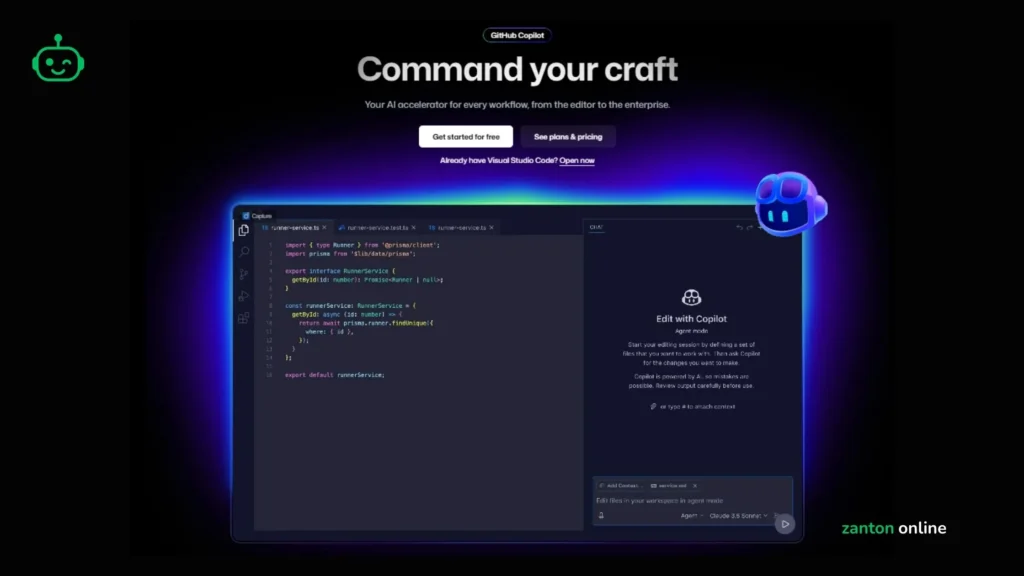
GitHub Copilot is still one of the strongest inline AI coding assistants:
- Suggests whole lines or functions as you type.
- Offers Copilot Chat to explain code, debug, or answer questions.
- Supports major IDEs: VSCode, JetBrains, Neovim, and more.
It works extremely well for:
- Boilerplate code.
- Common patterns (CRUD, loops, validation).
- Quick fixes and explanations during active coding sessions.
GitHub Copilot Pricing 2025
GitHub Copilot uses a tiered pricing structure:
- Copilot Free – $0/month
- 2,000 completions/month.
- 50 premium AI requests/month.
- Copilot Pro – $10/month
- More completions and premium requests.
- Copilot Pro+ – around $39/month
- 1,500 premium requests per month and access to frontier models like OpenAI o3 and newer.
- Copilot Business – $19/user/month and
Enterprise – $39/user/month for organizations.
These prices are separate from GitHub’s own hosting plans.
Codex vs GitHub Copilot: Which One Wins in 2025?
Side-by-Side Comparison Table
| Category | OpenAI Codex | GitHub Copilot |
|---|---|---|
| Core concept | Autonomous coding agent | Inline pair programmer |
| Setup | CLI + IDE extension + ChatGPT tasks | IDE extension + GitHub account |
| Strength | End‑to‑end tasks, refactors, PRs | Fast typing, suggestions, chat |
| Pricing | Bundled with ChatGPT Plus/Pro/Business/Enterprise; API pay‑as‑you‑go | Free, Pro, Pro+, Business, Enterprise tiers |
| Ideal user | Teams and devs who want workflows automated by agents | Devs who code a lot and want autocomplete & chat in editor |
| Learning curve | Higher (tasks, sandboxes, reviews) | Lower (just accept or reject suggestions) |
Final Practical Take
- Pick OpenAI Codex if you:
- Want to delegate full tasks, not just get suggestions.
- Are building complex systems where agent workflows matter.
- Need both local and cloud‑based automation.
- Pick GitHub Copilot if you:
- Spend your day mostly inside the IDE typing code.
- Want a low-friction boost to productivity.
- Prefer simple, predictable pricing tiers.
For many teams, the best setup is both: Copilot for live coding, Codex for structured tasks and automation.
Codex vs Claude Code vs Codeium
Is Codex Cheaper than Claude?
In typical coding tasks, Codex is usually cheaper than Claude Code, because it uses fewer tokens and is tuned for efficient code edits.
Trials comparing real projects show:
- Claude Code uses 2–3x more tokens on complex flows.
- Codex hits “get something running quickly” at lower token cost.
So for frequent prototyping, Codex tends to be the more cost‑effective choice.
Where Claude Code Shines
Claude Code behaves more like a careful senior engineer:
- Strong at explaining, refactoring, and documenting.
- Great for long, complex reasoning sessions.
But this thoroughness makes it slower and more expensive than Codex on high‑volume tasks.
Codeium vs Codex
Codeium offers:
- A generous or fully free tier in many cases.
- Good autocomplete and chat features.
However, it generally lacks the agent‑level depth and OpenAI ecosystem integration that OpenAI Codex provides, especially around sandboxes, cloud tasks, and native ChatGPT workflows.

Frequently Asked Questions: (FAQs)
What does Codex from OpenAI do?
Answer: Codex from OpenAI is an AI coding agent that reads your project, then writes, edits, and runs code to finish tasks such as features, bug fixes, refactors, and tests.
Is OpenAI Codex CLI free?
Answer: The Codex CLI program is free to install, but running Codex through it requires a paid ChatGPT plan or API usage, so it is not fully free in practice.
Can I use Codex for free?
Answer: You may use Codex for free only in limited ways, such as trial credits or temporary offers, but ongoing serious use requires a paid ChatGPT or API plan.
Is Codex cheaper than Claude?
Answer: Yes, for many coding tasks Codex is cheaper than Claude Code, because it generally uses fewer tokens and is tuned for efficient, direct code generation.
Is Codex free for Plus users?
Answer: ChatGPT Plus users get Codex access included in their subscription, but with usage limits; heavy users might need Pro, Business, or API credits.
Is GPT‑5 Codex free?
Answer: No, GPT‑5 Codex is not free; it is accessed as part of paid ChatGPT plans or via metered API usage.
What is Bill Gates’s IQ?
Answer: No verified public record confirms Bill Gates’s exact IQ, and widely quoted numbers online are speculative, not official.
How much does Codex AI cost?
Answer: For most developers, Codex AI effectively starts at $20/month with ChatGPT Plus, while heavier use can move to Pro and Business tiers or API pricing starting around $1.50 per 1M input tokens and $6.00 per 1M output tokens for codex‑mini‑latest.
How to use ChatGPT Codex for free?
Answer: You can only use ChatGPT Codex for free when OpenAI offers trial credits, free periods, or limited free usage, and these are usually short‑term and capped.
What is the difference between Codex and ChatGPT?
Answer: ChatGPT is a general AI assistant for conversation, writing, and reasoning, while Codex is a specialized coding agent that can directly edit and run code, work in repos, and propose pull requests.